2009 3.0 E89 - Bluetooth Connection

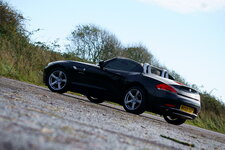
Hey guys. New to the forum and Z4 ownership.

49015493791_8c8bf8c7b6_z.jpg

Recently picked up this beauty. Came from a TT (I have a serious inclination to convertibles haha!).

Just a few quick questions;
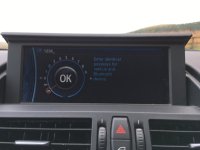
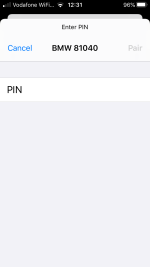
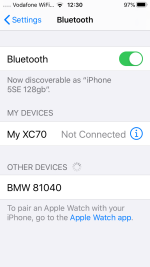
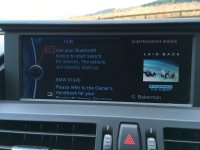
  • My car has iDrive. I would make the assumption this also has bluetooth as when I go through the settings I can get as far as the screen that says "use your bluetooth device to start search for devices. The vehicle will identify itself as: BMW 59694", however, this does not show on any phone I have tried to pair with the car. I use a Google Pixel 3 but have tried with Huwaiwei and iPhone, too.
    Am I doing something wrong? Is the bluetooth "module" something I can source and replace? I have searched and searched but alas I always end up being pointed to E85 answers.

  • The USB connection inside the armrest appears to be damaged. The AUX input still works but is crackly and the 12v also works normally. Is this unit easy to replace? I would assume this is the USB socket that would allow firmware updates for iDrive etc. More to the point I'd like to be able to charge my phone.

Other than this, I am just getting to grips with the car. Absolutely additive engine but refined when you want it to be. Very happy conversion so far.
49015697162_f4236fdb3e_z.jpg
 
Usually the problem with Bluetooth pairing is to reset all the connections on both side..follow the instructions in the user manual...you do have one? You get an iPad version from BMW...

The cracked unit is relatively easily changed , there was a recent post here to that effect...

The USB port in the armrest is for usb stick/iPhone/iPod /mps player only

Idrive and new phone s/w is loaded via a USB port secreted in the top right hand side of the glovebox ..you need a torch and crouch down to see it...

You need a map subscription from bmw or other sources not approved by this forum to update the maps via that USB port..
 
As the OP’s car is 2009 it’s unlikely he will be able to update the sat nav maps via the USB in the glove box. Without a sat nav firmware update you can only update using 3xDVDs.
 
Tinker15 said:
As the OP’s car is 2009 it’s unlikely he will be able to update the sat nav maps via the USB in the glove box. Without a sat nav firmware update you can only update using 3xDVDs.

Thnx for that clarification.. :thumbsup:
 
Tinker15 said:
As the OP’s car is 2009 it’s unlikely he will be able to update the sat nav maps via the USB in the glove box. Without a sat nav firmware update you can only update using 3xDVDs.

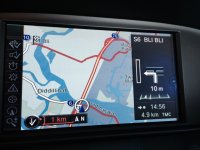
How will you know if the sat nav has had a firmware update? is it the tick in the bottom left corner of the map?
 
Silverstar said:
Tinker15 said:
As the OP’s car is 2009 it’s unlikely he will be able to update the sat nav maps via the USB in the glove box. Without a sat nav firmware update you can only update using 3xDVDs.

Yes. If it has an i and a tick (as photo below) it has been updated and you should be able to use the USB in the glove box. Mine hasn’t got it (2009 car) and I haven’t found a way to update the firmware. I updated from DVDs so I’m not really that bothered at the moment.

4891DD63-7640-4E61-9B8F-7EE2D3036161.jpeg


How will you know if the sat nav has had a firmware update? is it the tick in the bottom left corner of the map?
 
Thanks for the replies.
My only need for a USB socket was to charge my phone; and the one in the armrest is broken so will need replacing.

I have searched through all the menus on iDrive and cannot find anywhere to reset the bluetooth, only add new devices. Not really sure what else to try.

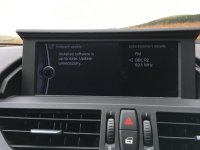
When I go https://www.bmw.com/en/footer/software-updates.html and put my VIN in, I am given a BIN file to download. I assume this will update via the USB in the glove box? I shall update the software first and see if that helps anything.
 
The USB port is not designed for charging. I doubt it will have enough power to charge an iPhone or similar. I have 2x12v sockets under the armrest and use one of them with a USB adapter to charge my iPhone XS.
 
drewsutton said:
Thanks for the replies.
My only need for a USB socket was to charge my phone; and the one in the armrest is broken so will need replacing.

I have searched through all the menus on iDrive and cannot find anywhere to reset the bluetooth, only add new devices. Not really sure what else to try.

When I go https://www.bmw.com/en/footer/software-updates.html and put my VIN in, I am given a BIN file to download. I assume this will update via the USB in the glove box? I shall update the software first and see if that helps anything.
Maybe just buy a micro style cigarette lighter socket charger and plug your phone USB lead into that. This is what I do..
 
drewsutton said:
It charges from the USB socket in the glovebox.
My main concern is getting Bluetooth to work. Still haven't got any closer. 🤷‍♂️

first thing to do is make sure (at that age) you have the updated blue tooth code?

https://www.bmw.com/en/footer/software-updates.html

Once thats done we can see how it goes.. :thumbsup:
 
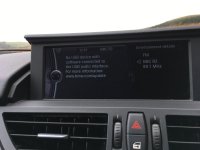
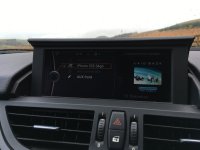
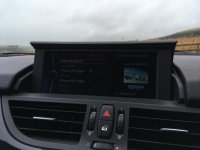
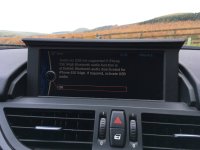
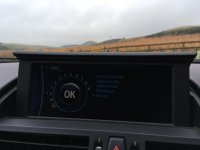
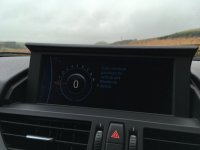
So, I've gone through every single menu and sub-menu on the iDrive system and cannot find anywhere that allows me to update the BIN file that I downloaded.

49039501943_483e1cb98c_z.jpg

49039501908_d4bd92c76d_z.jpg

49040221257_ae87c11798_z.jpg

49040221232_8c497f729e_z.jpg
 
Also, somewhat confusing; but whilst trying to update the firmware I noticed that it would allow me to back up the HDD music to the USB drive... but would not work the other way around (to transfer new music from the USB drive to the car).
 
You need to download the bin files to a usb stick and insert it into the glovebox USB port then they auto update..
 
Pbondar said:
You need to download the bin files to a usb stick and insert it into the glovebox USB port then they auto update..

Still had zero luck with this. Left the USB in the port for a good 40 minutes and no update.
 
I’ve a new clip in phone adapter arriving today so will do an update and confirm all is well

Normally

You download the file which has a .bin suffix

You put it on a usb stick with no other files so that the .bin sits at the top level ie not in a folder

Make sure the usb stick is 32 gb or less and formatted in FAT 32

usb stick is plugged into the glovebox with power off

Then put power on, start engine and update should start immediately..
 
Something isn't right then I guess. It was in the correct directory but iDrive does not react at all to it. I know it CAN read from that USB device as I have successfully transferred music from it. Perhaps it is already updated. Alas, I still cannot connect a phone via bluetooth - it simply doesn't find the car when scanning.
 
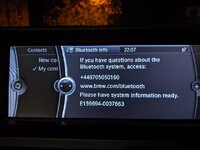
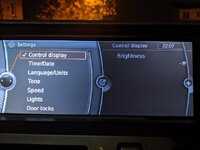
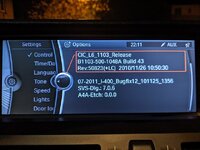
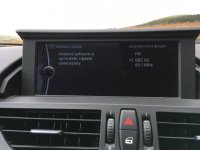
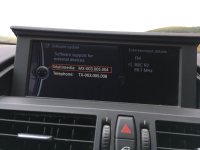
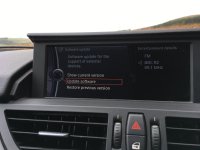
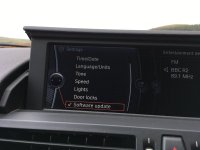
Hello I gave you some duff info..the s/w update for the bluetooth ad usb port is done via the usb socket in the armrest..I've attached the sequence of install for you..I had updated mine but had a brain f$£t and forgot..the USB socket in the gloveobox is used for the maps!!
 

Attachments

  • 2019-11-17 12.15.34.jpg
    2019-11-17 12.15.34.jpg
    119 KB · Views: 1,255
  • 2019-11-17 12.15.26.jpg
    2019-11-17 12.15.26.jpg
    119.5 KB · Views: 1,255
  • 2019-11-17 12.15.11.jpg
    2019-11-17 12.15.11.jpg
    129.2 KB · Views: 1,255
  • 2019-11-17 12.15.03.jpg
    2019-11-17 12.15.03.jpg
    133.3 KB · Views: 1,255
  • 2019-11-17 12.14.37.jpg
    2019-11-17 12.14.37.jpg
    124.9 KB · Views: 1,255
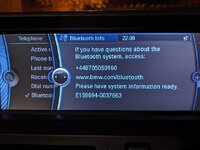
I've re-paired several phones to check to see if the blue tooth was working which it was..some creen shots for you
 

Attachments

  • 2019-11-17 12.34.41.jpg
    2019-11-17 12.34.41.jpg
    119.9 KB · Views: 1,250
  • 2019-11-17 12.34.30.jpg
    2019-11-17 12.34.30.jpg
    119.7 KB · Views: 1,250
  • 2019-11-17 12.34.15.jpg
    2019-11-17 12.34.15.jpg
    138.8 KB · Views: 1,250
  • 2019-11-17 12.32.01.jpg
    2019-11-17 12.32.01.jpg
    117.8 KB · Views: 1,250
  • 2019-11-17 12.31.16.png
    2019-11-17 12.31.16.png
    68.7 KB · Views: 1,250
  • 2019-11-17 12.30.33.jpg
    2019-11-17 12.30.33.jpg
    110.9 KB · Views: 1,250
  • 2019-11-17 12.30.22.jpg
    2019-11-17 12.30.22.jpg
    102.2 KB · Views: 1,250
  • 2019-11-17 12.30.10.png
    2019-11-17 12.30.10.png
    113.3 KB · Views: 1,250
  • 2019-11-17 12.29.56.jpg
    2019-11-17 12.29.56.jpg
    145.5 KB · Views: 1,250
  • 2019-11-17 12.15.34.jpg
    2019-11-17 12.15.34.jpg
    119 KB · Views: 1,250
Back
Top Bottom