
You are using an out of date browser. It may not display this or other websites correctly.
You should upgrade or use an alternative browser.
You should upgrade or use an alternative browser.
Latest version of navi map is available for download
- Thread starter q96169we
- Start date
Obs-Com said:Why download and install by USB and mess around with diagnostic mode when the car does it all itself when ready and available? :dizzy:
Three different things
1. I don't think live map update can update the base map version. It can only apply small patches to the base map
2. USB map update will update the entire base map which is about 30GB and take quite a while.
3. You don't have to use the diagnostic mode to perform USB map update. If you are not driving, the idrive will shutdown after certain minutes and the update will be interrupted. The diagnostic mode can stop the system from shutting down. If anyone like me don't want the interrupt, the diagnostic mode is a way to do that. So, diagnostic mode is more like FYI than you need to do this.
In general, I think the entire thread is kind of FYI purpose. As said in the OP, if you bother with keeping map updated, this is the information for you. If you don't really bother with this, it won't affect anything at all.

This is whats shown on my connected drive account. Looks like an either or gets the same result? My navigation has updated numerous times throughout ownership and currently has latest nav version installed. No USB and no getting out the car backwards with one eye shut facing north to engage diagnostic mode. 
MAP UPDATE PACKAGE
Base_MapUpdate_gb-icon-v2-en-GB
Keep your vehicle’s Map up to date by receiving the most current navigation map data either via a USB update or automatically over-the-air.
NOT RENEWABLE
Booked until 17/05/2022. Your service can only be extended with a package.
Continue shopping
Z4 M40i
BMW Z4 M40i
arrow-rightAdd another vehicle
WHAT DOES MAP UPDATE OFFER?
arrow-top-gs60
The Map Update Package allows the BMW Professional navigation system, combined with BMW ConnectedDrive, to update the navigation map data either via USB or automatically over-the-air. A USB map update can be completed via the BMW ConnectedDrive portal to integrate the latest European wide map data, or as soon as a new navigation map version is available for the country that your vehicle is registered in, the update is transferred via the integrated SIM card directly into the vehicle’s navigation system, completely over-the-air. Customers need not worry about data costs or license costs, or having to have map updates completed by a BMW Service Centre. During the update process, the navigation system remains fully functional.
MAP UPDATE PACKAGE
Base_MapUpdate_gb-icon-v2-en-GB
Keep your vehicle’s Map up to date by receiving the most current navigation map data either via a USB update or automatically over-the-air.
NOT RENEWABLE
Booked until 17/05/2022. Your service can only be extended with a package.
Continue shopping
Z4 M40i
BMW Z4 M40i
arrow-rightAdd another vehicle
WHAT DOES MAP UPDATE OFFER?
arrow-top-gs60
The Map Update Package allows the BMW Professional navigation system, combined with BMW ConnectedDrive, to update the navigation map data either via USB or automatically over-the-air. A USB map update can be completed via the BMW ConnectedDrive portal to integrate the latest European wide map data, or as soon as a new navigation map version is available for the country that your vehicle is registered in, the update is transferred via the integrated SIM card directly into the vehicle’s navigation system, completely over-the-air. Customers need not worry about data costs or license costs, or having to have map updates completed by a BMW Service Centre. During the update process, the navigation system remains fully functional.
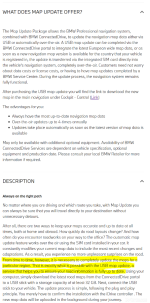
So, this is the description captured from BMW ConnectedDrive Map Update Package webpage. OTA map update is the live map update and it will keep your map up2date in general (what I referred to as applying patches to the base map so that it's still considered to be up2date). The highlighted text explains the need to update the entire base map for certain region (in our case, europe, geographically, not politically) from time to time via online download and USB data transfer.
Obs-Com said:So how do you get the link to download to USB?
If you are doing this for the first time: Login to ConnectedDrive, click the people shape button on top right, click "My Vehicle", select your car if you have more than one BMW associated by clicking "Vehicle Detail" next to the car, then click "To Map Update", scroll to bottom and click "To manual map update", then follow the instruction there.

If you've already installed the BMW Download Manager: Login from the Download Manager, select the car, then download.


Triple press engine start stop button without foot on brake padel. Then, the mode is sensitive to driver side door status change (open/close).
Just to clarify: you don't have to use the diagnostic mode. Plug USB stick with latest map into the car then the car will ask you whether you want to update now.
Just to clarify: you don't have to use the diagnostic mode. Plug USB stick with latest map into the car then the car will ask you whether you want to update now.
q96169we said:ori said:Just started this diagnostic thing. It worked! Even tells you it’s gone into that mode. Awesome.
About your previous question of how to get out of the car, another way is to get into the passenger seat then activate the diagnostic mode. As it just needs the key in the car then press the button three times, it doesn't really matter which seat you are on. The diagnostic mode is sensitive to the driver side door but not passenger side door.
You’re an effing genius.

q96169we said:The map update is different than the RSU. It does not require your phone to download the map first. Also, based on what I know and experienced so far, I don't think the live map update will update the base map. It will just apply some patches to the base map. This USB map update will update the entire base map. Maybe I'm wrong though.
 My work laptop has that high a level of security it won’t allow me to download anything that’s not authorised and run through our system first so will wait until my daughter is home from uni and use hers.
 Weather’s p!sh atm so not like I can’t wait :lol:
[ref]Argyll Andy[/ref], a likely story. We know the truth is that your computer is just too slow because of all the porn on it!
Ps. Could have gone with……..being Scottish you’re too tight to buy a computer, but I’m more respectful than that! And yes, a Jew calling a Scott tight.
)))
Ps. Could have gone with……..being Scottish you’re too tight to buy a computer, but I’m more respectful than that! And yes, a Jew calling a Scott tight.
)))
ori said:Scott
Who is this ScotT you talk of :wink:
ori said:We know the truth is that your computer is just too slow because of all the porn on it!
Don’t you be judging everyone else by your standards, being self employed just means you can do what you want without ending up in a disciplinary
ori said:being Scottish you’re too tight to buy a computer
Absobloodlylutley, I’m not buying another computer just to keep my car up to date, that’d bring a tear to ma glass eye :wink:
Scubaregs said:I assume [ref]ori[/ref], is selling one.
1 lady owner from new……
Well that update didn’t go to plan.
It says copying files and then at about 9% it says usb read error. I tried it twice, but not I have to assume that it’s the download that’s corrupt even though it does verification.
Will re download it and try again. Could be a different usb drive, but I doubt it.
It says copying files and then at about 9% it says usb read error. I tried it twice, but not I have to assume that it’s the download that’s corrupt even though it does verification.
Will re download it and try again. Could be a different usb drive, but I doubt it.
ori said:Scubaregs said:I assume [ref]ori[/ref], is selling one.
1 lady owner from new……
That you or a computer :wink:

Scubaregs
Veteran
Argyll Andy said:ori said:Scubaregs said:I assume [ref]ori[/ref], is selling one.
1 lady owner from new……
That you or a computer :wink:
Why, which are you interested in buying?
Scubaregs said:Argyll Andy said:ori said:1 lady owner from new……
That you or a computer :wink:
Why, which are you interested in buying?
I’m wondering the same.
