USB port in glove box faulty?

Hi all,

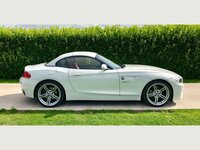
Just purchased an E89 23i M Sport Highline. Love the car so far. Just a couple of (expected) niggles.

One that has got me a little flummoxed is the glove box USB port. I believe it is broken but have no idea (I'm certainly no sparky) how to fix it or where to send it to get it fixed.
I'm trying to update the ProNav but the readout states that no USB is present. I've done all the things I have already learned on here (Fat32, cleared the stick first) but to no avail.
I assumed I was still doing something wrong as the centre armrest also didn't recognise the the USB either, but when fitting the dashcam yesterday, the glove box port again was non responsive, but the centre console works fine.

Any help would be greatly appreciated as we're driving up to Scotland next weekend (North Coast 500) and 2014 maps may get me into a little pickle.

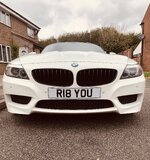
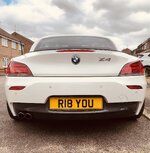
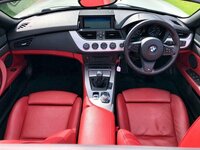
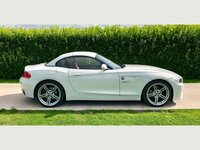
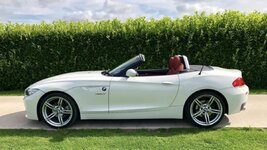
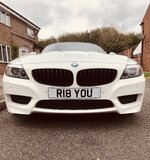
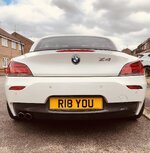
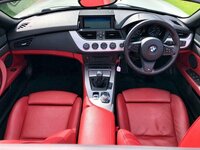
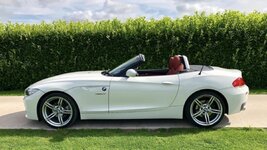
As any thread is no good without pictures... Here's a few of the new toy.
iIAigvd.jpg

QlH82M3.jpg

YtRxXX8.jpg

B9CW3FD.jpg

ux5OYp7.jpg
 
Overweight Unicorn said:
Hi all,

Just purchased an E89 23i M Sport Highline. Love the car so far. Just a couple of (expected) niggles.

One that has got me a little flummoxed is the glove box USB port. I believe it is broken but have no idea (I'm certainly no sparky) how to fix it or where to send it to get it fixed.
I'm trying to update the ProNav but the readout states that no USB is present. I've done all the things I have already learned on here (Fat32, cleared the stick first) but to no avail.
I assumed I was still doing something wrong as the centre armrest also didn't recognise the the USB either, but when fitting the dashcam yesterday, the glove box port again was non responsive, but the centre console works fine.

Any help would be greatly appreciated as we're driving up to Scotland next weekend (North Coast 500) and 2014 maps may get me into a little pickle.

As any thread is no good without pictures... Here's a few of the new toy.
iIAigvd.jpg

QlH82M3.jpg

YtRxXX8.jpg

B9CW3FD.jpg

ux5OYp7.jpg

Hi, I think the glovebox port is just for charging and the armrest one charges & carries data :thumbsup:
Rob
 
Hi the glovebox port IS the correct one for map updates...NOT the armrest version..

Gotchas can be..

Not all usb sticks are recognised...I have a situation where usb sticks in my 2012 Z4 are not recognised by my wife’s 2015 Mini..but vice versa ok

The files have to be in the root directory, if they are in a folder it won’t recognise it

32gb max size stick...it may work bigger than 32gb in centre usb but..

FAT 32 but you say that’s done

That’s my suggestions.
 
Thanks, Rob. I've just tried the glovebox port with the iPhone and it does charge. So you may be right that it's just for charge only. I would have assumed that the Dashcam would have also work there as it is just supplying power to the unit?
The onlt thing is that this seems to conflict with a lot of posts on the subject. It would seem that 'one size doesn't fit all'?

I'll order the Nav update and give it another go.

Thanks for your input.
 
Pbondar said:
Hi the glovebox port IS the correct one for map updates...NOT the armrest version

Thanks. My post above was wriiten at the same time as yours, hence the overlap.

Pbondar said:
The files have to be in the root directory, if they are in a folder it won’t recognise it

I'm guessing this is where I am going wrong. The software update was in a folder on the USB. Can you explain what you mean by "The files have to be in the root directory"? I'm a proper technophobe when it come to this.

Thank you.
 
Overweight Unicorn said:
Pbondar said:
Hi the glovebox port IS the correct one for map updates...NOT the armrest version

Thanks. My post above was wriiten at the same time as yours, hence the overlap.

Pbondar said:
The files have to be in the root directory, if they are in a folder it won’t recognise it

I'm guessing this is where I am going wrong. The software update was in a folder on the USB. Can you explain what you mean by "The files have to be in the root directory"? I'm a proper technophobe when it come to this.

Thank you.

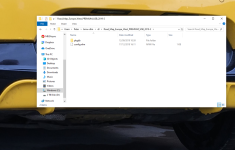
Hi when you extract the files from the zip folder assuming you are doing it by hand then you need to place the files in the picture in the top level of the USB stick not in any folders like "BMW maps" etc
 

Attachments

  • root.png
    root.png
    484.2 KB · Views: 2,880
Pbondar said:
Overweight Unicorn said:
Pbondar said:
Hi the glovebox port IS the correct one for map updates...NOT the armrest version

Thanks. My post above was wriiten at the same time as yours, hence the overlap.

Pbondar said:
The files have to be in the root directory, if they are in a folder it won’t recognise it

I'm guessing this is where I am going wrong. The software update was in a folder on the USB. Can you explain what you mean by "The files have to be in the root directory"? I'm a proper technophobe when it come to this.

Thank you.

Hi when you extract the files from the zip folder assuming you are doing it by hand then you need to place the files in the picture in the top level of the USB stick not in any folders like "BMW maps" etc

Thanks. I'll give it a go.
 
The files have been transferred to the USB as below, but neither USB port recognises any software updates on the USB???

YGomtH6.png

These were dragged from the file to the USB stick, nothing else.
 
Overweight Unicorn said:
The files have been transferred to the USB as below, but neither USB port recognises any software updates on the USB???

YGomtH6.png

These were dragged from the file to the USB stick, nothing else.

OK bear with me..I'm about to do an update as soon as my new 32gb USB stick arrives and then we can re-compare!!

Others may help..
 
Pbondar said:
Overweight Unicorn said:
The files have been transferred to the USB as below, but neither USB port recognises any software updates on the USB???

YGomtH6.png

These were dragged from the file to the USB stick, nothing else.

OK bear with me..I'm about to do an update as soon as my new 32gb USB stick arrives and then we can re-compare!!

Others may help..

Thank you, much appreciated! I see you are using Windows and I a Mac.

Had to nip to Curry's to get a 32gb stick as I only had a load of 2-16gb and a 1TB drive!
 
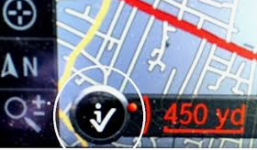
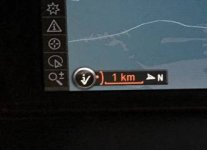
What age is your E89? The early one's cannot be upgraded via USB unless they've had a software update. I believe you can update via USB if the screen shows a tick with an i

Capture.PNG

If it does have this and you still can't install updated maps, try adding some music to the cars hard drive via the same USB (glovebox) to see if it is indeed working.

Also, if you can get it to work see https://z4-forum.com/forum/viewtopic.php?f=23&t=83208&p=1242216&hilit=cerbera#p1242216 on how to upload the route you want to travel (NC500) into your Z4 sat nav :thumbsup:
 
cerbera said:
What age is your E89? The early one's cannot be upgraded via USB unless they've had a software update. I believe you can update via USB if the screen shows a tick with an i

Capture.PNG

If it does have this and you still can't install updated maps, try adding some music to the cars hard drive via the same USB (glovebox) to see if it is indeed working.

Also, if you can get it to work see https://z4-forum.com/forum/viewtopic.php?f=23&t=83208&p=1242216&hilit=cerbera#p1242216 on how to upload the route you want to travel (NC500) into your Z4 sat nav :thumbsup:

November 2011, so should be fine.

I'll see if I can add some music. I now think the USB port is fine; I just think it is Apple adding hidden files (.trash and Spotlight) that is currupting the process, but even after following online tutorials, I cannot permanently remove the .trash file.
 
So I added some music and the glovebox port did not recognise the USB. Tried the armrest port and it recognized and played the music, but would not let me export it. It states that can only be done throught the glovebox port?!

So we know that the glovebox port works in part as it will charge my phone, but all other functions do not work. :headbang:
 
cerbera said:
What age is your E89? The early one's cannot be upgraded via USB unless they've had a software update. I believe you can update via USB if the screen shows a tick with an i

Capture.PNG

If it does have this and you still can't install updated maps, try adding some music to the cars hard drive via the same USB (glovebox) to see if it is indeed working.

Also, if you can get it to work see https://z4-forum.com/forum/viewtopic.php?f=23&t=83208&p=1242216&hilit=cerbera#p1242216 on how to upload the route you want to travel (NC500) into your Z4 sat nav :thumbsup:

+1. When I upgraded my maps the online store I got it from told me the same thing. I sent them photos of my screen and they said even though I had the USB in the glove box the maps could only be upgraded via CDs hence sent me 3 CDs.
 
Silverstar said:
cerbera said:
What age is your E89? The early one's cannot be upgraded via USB unless they've had a software update. I believe you can update via USB if the screen shows a tick with an i

Capture.PNG

If it does have this and you still can't install updated maps, try adding some music to the cars hard drive via the same USB (glovebox) to see if it is indeed working.

Also, if you can get it to work see https://z4-forum.com/forum/viewtopic.php?f=23&t=83208&p=1242216&hilit=cerbera#p1242216 on how to upload the route you want to travel (NC500) into your Z4 sat nav :thumbsup:

+1. When I upgraded my maps the online store I got it from told me the same thing. I sent them photos of my screen and they said even though I had the USB in the glove box the maps could only be upgraded via CDs hence sent me 3 CDs.

If you look at your screen and if there is a circle with an I and a mapa-bmw-premium-cic-20181-e60-f10-f11-e70-x5-x6-debica-475659669.jpg tick in it then you can update the maps through the usb drive in the glovebox
 
Zed Baron said:
Silverstar said:
cerbera said:
What age is your E89? The early one's cannot be upgraded via USB unless they've had a software update. I believe you can update via USB if the screen shows a tick with an i

Capture.PNG

If it does have this and you still can't install updated maps, try adding some music to the cars hard drive via the same USB (glovebox) to see if it is indeed working.

Also, if you can get it to work see https://z4-forum.com/forum/viewtopic.php?f=23&t=83208&p=1242216&hilit=cerbera#p1242216 on how to upload the route you want to travel (NC500) into your Z4 sat nav :thumbsup:

+1. When I upgraded my maps the online store I got it from told me the same thing. I sent them photos of my screen and they said even though I had the USB in the glove box the maps could only be upgraded via CDs hence sent me 3 CDs.

If you look at your screen and if there is a circle with an I and a mapa-bmw-premium-cic-20181-e60-f10-f11-e70-x5-x6-debica-475659669.jpg tick in it then you can update the maps through the usb drive in the glovebox

Yes there is a tick there but before I purchased the updated maps I contacted the store and they asked me to send a photo of the map screen and the map version screen, based on that they told me to get the discs. On their web site it says only cars after March (I think) 2010 are able to download via the USB unless it has had a firmware update from BMW. Which I don't really know if mine has had done. I believe my map version was 2013 before I updated it.
 
Cheers guys.

The tick is ticked and the map version has been verified as all good for the USB update, but still nothing.

I'm at a loss now. I guess it's back to Waze :thumbsdown:
 
Well after going through plenty of frustrations, even to the point of maxing out my Mac storage, I have finally got the update to install.

Unfortunately I can't help anyone with the solution, as I have no idea what i did to get it to work?

Thanks to those who offered their guidance. :thumbsup:
 
Overweight Unicorn said:
Well after going through plenty of frustrations, even to the point of maxing out my Mac storage, I have finally got the update to install.

Unfortunately I can't help anyone with the solution, as I have no idea what i did to get it to work?

Thanks to those who offered their guidance. :thumbsup:

Sadly, its often the case with these cars, there is a degree of hit n miss, compounded by undocumented histories of twiddling by former owners /garages.

I have an unresolved issue with iPhone 5 SE not playing through USB connection..in the end I just moved on.. :thumbsup:

Of course using a MAC is the work of the devil to do Windows stuff.. :rofl:
 
Back
Top Bottom