
You are using an out of date browser. It may not display this or other websites correctly.
You should upgrade or use an alternative browser.
You should upgrade or use an alternative browser.
Transport mode - Essex, Suffolk or Herts
- Thread starter ESP
- Start date
 Attleborough, Norfolk
Thanks for the offer mate, might be my only option...I'm in Attleborough, Norfolk, NR17 if you can't find anyone closer?
What do you use (1.4 scanner, or the IMPA software, or something else)?
Whats your availability this coming week?
If BMW Scanner can do it, I'd honestly just buy the cable for £20, and know that you'll save yourself the cost of a diagnostic scan from a garage in the future if a light ever comes on... (Assuming you have a laptop of course!)

Scanner 1.4 resets it. To remove it completely so it never happens again requires more fancy kit. I have scanner.Thanks for the offer mate, might be my only option...
What do you use (1.4 scanner, or the IMPA software, or something else)?
Whats your availability this coming week?
The suggestion of buying it yourself is a good one and les than the fuel to get to me.
If you want my help I’m available most days.
Ive purchased BMW scanner v1.4.0, windows 10, and its installed on a old Windows 10 laptop (Im a MacBook owner, so going any deeper than surfing the web on a windows machine is alien to me).If BMW Scanner can do it, I'd honestly just buy the cable for £20, and know that you'll save yourself the cost of a diagnostic scan from a garage in the future if a light ever comes on... (Assuming you have a laptop of course!)
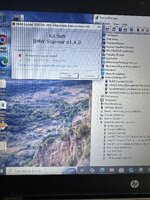
'To the best of my knowledge'* I have followed the instructions and various online tutorials, updating the drivers, but upon opening the program i get the message "Device driver are not installed"..... Does this look right or wrong?
Please help


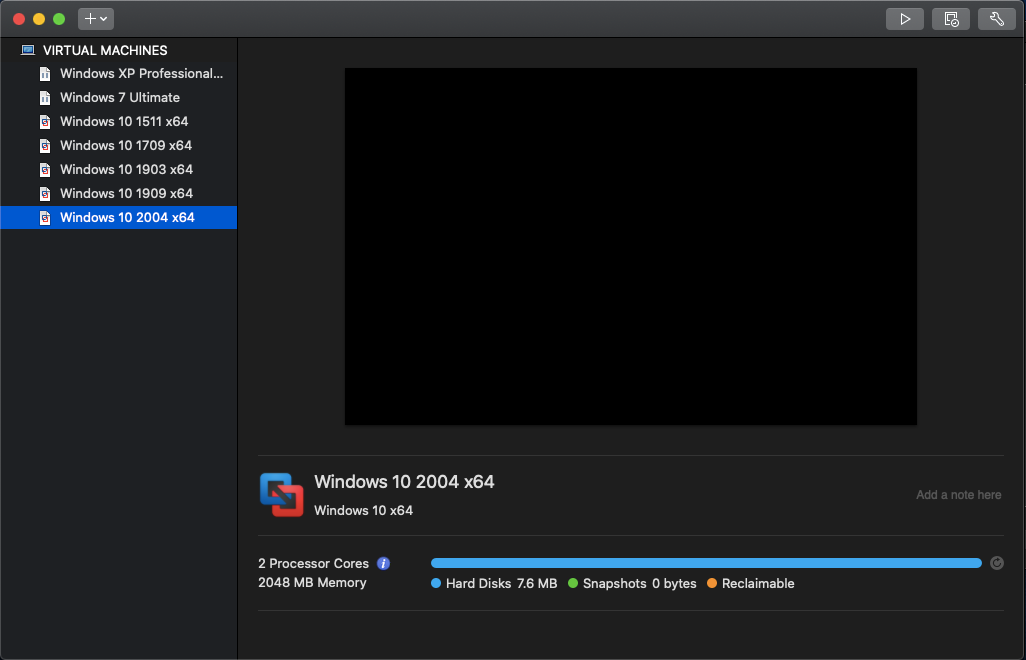
There is an interesting point made here about the windows version:
 www.e46fanatics.com
"I found that the drivers installed properly on every version of Windows 10 except for the latest one. So any version up to and including Update 1909 is safe to use."
BMW Scanner 1.4 Windows 10 Driver Install Guide
Here is how to install the drivers. https://www.e46fanatics.com/threads/release-bmw-scanner-1-4-drivers-for-windows-10-dummy-friendly-installation-guide.1282925/ What's the problem? In order to use BMW Scanner (also known as P.A. Soft) you need to use a special cable. This cable depends on the...
"I found that the drivers installed properly on every version of Windows 10 except for the latest one. So any version up to and including Update 1909 is safe to use."
There is an interesting point made here about the windows version:
BMW Scanner 1.4 Windows 10 Driver Install Guide
Here is how to install the drivers. https://www.e46fanatics.com/threads/release-bmw-scanner-1-4-drivers-for-windows-10-dummy-friendly-installation-guide.1282925/ What's the problem? In order to use BMW Scanner (also known as P.A. Soft) you need to use a special cable. This cable depends on the...
"I found that the drivers installed properly on every version of Windows 10 except for the latest one. So any version up to and including Update 1909 is safe to use."
Ok, I don't understand... What should i do / need to do / update

I had thisIve purchased BMW scanner v1.4.0, windows 10, and its installed on a old Windows 10 laptop (Im a MacBook owner, so going any deeper than surfing the web on a windows machine is alien to me).
'To the best of my knowledge'* I have followed the instructions and various online tutorials, updating the drivers, but upon opening the program i get the message "Device driver are not installed"..... Does this look right or wrong?
Please help
View attachment 296033
Took me ages to actually get it installed and working on my laptop but the YouTube guide I followed end to end was what helped
Do you have this YouTube link?I had this
Took me ages to actually get it installed and working on my laptop but the YouTube guide I followed end to end was what helped
Is your windows version newer than; version 1909 ?
Yes, its Version: 10.0.19045 Build 19045I just had a quick read through that one, can you tell me your windows release on your laptop? (system info). It seems that any version beyond version 1909 fails to install the driver so you have to downgrade your windows version.
(Which i have no clue what that means or what to do)
Take a look at this video, 'install bmw scanner 1.4'
https://share.google/UPksY6kAFsdQesLcg
https://share.google/UPksY6kAFsdQesLcg
Link doesn't workTake a look at this video, 'install bmw scanner 1.4'
https://share.google/UPksY6kAFsdQesLcg
Just did for me?Link doesn't work
That is too new according to the link and would need to be downgraded to 1909.Yes, its Version: 10.0.19045 Build 19045
(Which i have no clue what that means or what to do)
But ive seen online people with Windows 11 had no issues?That is too new according to the link and would need to be downgraded to 1909.
Yes. I have posted the way I solved it. Watch the video step by step to resolve the drivers issue
I had the issue you are having at least 4 times previously and the only thing that worked was doing the step by step process to embed the software
It works perfectly now on my win10 device
I had the issue you are having at least 4 times previously and the only thing that worked was doing the step by step process to embed the software
It works perfectly now on my win10 device
This might as well be in hieroglyphics to me, hence why if anyone is passing through Essex or is nearby this weekend, id much rather just travel to them.
I've tried this twice now, but still doesnt work. Is there a alternative Drive for newer Win10?
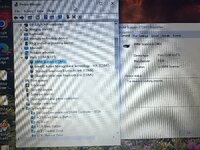
See my Screenshot of updated drives attached for comparison. Can you share a screenshot of your Port devices and info please?
The 'Update 1909' idea might be right, but you can't go back, that 'www.e46fanatics.com article is over 5 years old now, id say it might flag that he's using Bootcamp on a Mac, as I don't see anyone else is having a problem on a windows machine....
Windows 10 is unsupported now by Microsoft since 2025, and their site says you only can within 15 days of a previous upgrade. If you can somehow, that's above my paygrade seeing as this is a generally unused laptop, dug out purely for this BMW Scanner task.
What version of Windows 10 do you have, is it also newer?Yes. I have posted the way I solved it. Watch the video step by step to resolve the drivers issue
I had the issue you are having at least 4 times previously and the only thing that worked was doing the step by step process to embed the software
It works perfectly now on my win10 device
I've tried this twice now, but still doesnt work.
Is there a alternative Drive for newer Win10?See my Screenshot of updated drives attached for comparison. Can you share a screenshot of your Port devices and info please?
That is too new according to the link and would need to be downgraded to 1909.
The 'Update 1909' idea might be right, but you can't go back, that 'www.e46fanatics.com article is over 5 years old now, id say it might flag that he's using Bootcamp on a Mac, as I don't see anyone else is having a problem on a windows machine....
Windows 10 is unsupported now by Microsoft since 2025, and their site says you only can within 15 days of a previous upgrade. If you can somehow, that's above my paygrade seeing as this is a generally unused laptop, dug out purely for this BMW Scanner task.
Attachments
Last edited: