Transfer Music Between Cars

hortonheath

New member
Hello,

I have a 535d with a hard drive and a CD slot. Have over 50 Cds on the drive.

My wife has just bought a Z4 with a hard drive but no CD slot.

Obvious question - how do I transfer the music from my car to hers?

Have a portable USB storage gizmo if this will be of any use.

Thanks, Barry
 
You can’t ..you need to input your CDs into a media manager like WMP or iTunes , from there create a usb stick in a suitable format and load into G29..simple..but not the answer you wanted..
 
I loaded my usb drive onto my hdd on my 2016 F11 so would be surprised if you can’t do this on a G29.
 
Pbondar said:
You can’t ..you need to input your CDs into a media manager like WMP or iTunes , from there create a usb stick in a suitable format and load into G29..simple..but not the answer you wanted..

Can you not export the music files onto a USB drive? I thought you could :?
Sure my F30 has an option for export
 
Thanks guys. Another thought, could I do it via Bluetooth ie upload from one car to my IPhone and download to the second?

Barry
 
Sladester100 said:
Pbondar said:
You can’t ..you need to input your CDs into a media manager like WMP or iTunes , from there create a usb stick in a suitable format and load into G29..simple..but not the answer you wanted..

Can you not export the music files onto a USB drive? I thought you could :?
Sure my F30 has an option for export

Maybe you can but...in the act of loading the cd into the idrive system severe audio compression is undertaken due to the lack of available space to store audio information..so any export will result in markedly poorer audio than the original CDs..

So you may be able to frig it in some way but the result will be disappointing acoustically and not worthy of the new cars audio systems..
 
Well, according to my G29 manual there is an option to save the music collection from the car's hard drive to a USB stick. It should be an 'image', I don't see why there should be any loss of quality.

Once done, load into the other car's system.
 
dr_john said:
Well, according to my G29 manual there is an option to save the music collection from the car's hard drive to a USB stick. It should be an 'image', I don't see why there should be any loss of quality.

Once done, load into the other car's system.

The CD is encoded in a 16 bit PCM format at 44khz..that’s a bit rate of 1.4mbits..

If it was encoded in a lossless format such as ALAC or FLAC the copy would be perfect despite a size of audio file about 1/3 that of a CD.

That’s a bit rate of around 700kb-900kb average

When a CD is loaded into the onboard unit it’s encoded in WMA format at around 128kbits or less..people suggest 96kb..

The format is lossy..ie large amount of data is thrown away in an attempt to squeeze it in..

So it’s much much poorer quality..of course if you think music sounds best on an AM radio then maybe it’s a ok for you..

So it’s like taking a picture...sending it by fax, scanning it, printing it off on a cheap printer ..

That’s why it’s not so good..
 
The OP's original question was how to transfer a copy of the music tracks on his car onto his wife's car, not how to copy the CD's onto the new car.
 
dr_john said:
The OP's original question was how to transfer a copy of the music tracks on his car onto his wife's car, not how to copy the CD's onto the new car.

Thnx for bringing me back on track..

On the E89 the process is documented in the handbook..

The issue could be the relative age of the two car systems

Suggest the OP simply follows the process as documented in the respective manuals and see what gives..

My comments applied to the E89...
 
What a pallava!

This is EXACTLY the reason I moved to an Android phone with 1TB microSD card and being able to stream Hi-res music files to a Bluetooth dongle....FTW. (For The Win)
 
Chris_D said:
What a pallava!

This is EXACTLY the reason I moved to an Android phone with 1TB microSD card and being able to stream Hi-res music files to a Bluetooth dongle....FTW. (For The Win)

Quite..I use an old iPhone SE with the old clip unit in the centre armrest to act as purely a media player...I’ve got a 128gb version which holds easily 6000+ tracks on 256kb AAC mode which offers pretty much perfect music re-play..idrive accesses it and uses all the functions including nice art work, playlists etc

I use an iPhone 7 on Bluetooth which just rests in the ash tray..perfect..

The iPhone series has almost prefect digital to analogue converters so does a great job for audio..

Then using iTunes you can endlessly manage your music library as you wish..I cut 7 different versions for all my iPhone/iPad collections :thumbsup:
 
[/quote]
256kb AAC mode which offers pretty much perfect music re-play
[/quote]

idk about that. Anything lower than 16bit/44.1kHz FLAC files is a no-go in my book. But compression algorithms can make some music sound good, so go figure! The integrated DAC's in the iphone are pretty good but not the best.

Personally, I ditched low-res files yonks ago when my ears became attuned to high-res. I can't really tell much difference between a good CD quality 16bit 44kHz FLAC rip and a 24bit hi-res file but maybe that's because I'm an old fkr with compromised ears. But sack anything lower resolution than that. You can really tell especially in the 10-15kHz region. The compression stifles things like hi-hats and crash cymbals.

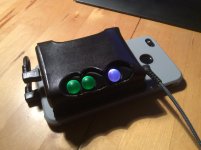
I'm currently looking to get a hard-wired setup into my zed using the fruitycables 3.5mm input and my phone/dac combo...
IMG_0096.jpg

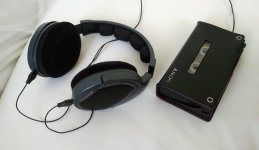
I'm also into cassette, so the 3.5mm input will serve that too. I know, shoot me. lol
IMG_20200711_113646.jpg
 
In a previous life we spent a lot of time developing audio and video codecs..given 40 years of high speed motorcycling my ears are not in the best of condition even allowing for age...

My music library is almost all CD based and a lot of my music is not available in 24 bit formats..

Most of media playback devices can’t quite store my library in ALAC or FLAC so it’s got to be compressed..WMA/MP3/AAC..even though I’m not an Apple fan i’m using their phones n iPads so really AAC is the main option...I use the 256kb rate which is alleged is better than MP3..it should be as it benefited from later development and can rely on more powerful playback processors..

I recently read some tests on a wide range of Apple DACs in various devices and the consensus was this side of a £300+ DAC there was no measurable benefit..of course ears are different..

Obviously, especially in a Z, irrespective of speakers/amp/head unit you are limited in the ability to discern playback variations..

A couple of others who I’ve helped have used high end media players to great effect..

What I like using the iPhone in its holder in the centre armrest is the full and seamless integration ..

As you say other options are available.. :thumbsup:
 
have you tried this?
https://www.youtube.com/watch?v=dWbS0fnrY4E

Also maybe it's a good time to switch to a music streaming service, like deezer or spotify, which both have apps on bmw and both work great with apple car play and are not terribly expensive. It brings some other advantages too, like being able to continue listening on other devices, phone, home theatre system, computer, you still have access to your music when you get a replacement car, ... :)
 
Back
Top Bottom