
You are using an out of date browser. It may not display this or other websites correctly.
You should upgrade or use an alternative browser.
You should upgrade or use an alternative browser.
Pics
- Thread starter bz4kev
- Start date

you can use my picture hosting..
open
upload.vstanced.com
press start uploading button
select your pictures - can be multiple.
press upload
at the end you'll get a box saying "embed codes"
select "BB CODE FULL"
copy the contents of that box
paste into your message/post
and click submit..
register an account if you dont want a watermark(registration is only there to prevent explicit material spam, I am not advertising here as I have plenty of users as is haha)
open
upload.vstanced.com
press start uploading button
select your pictures - can be multiple.
press upload
at the end you'll get a box saying "embed codes"
select "BB CODE FULL"
copy the contents of that box
paste into your message/post
and click submit..
register an account if you dont want a watermark(registration is only there to prevent explicit material spam, I am not advertising here as I have plenty of users as is haha)

srhutch said:You can also use the attachments option which cuts out the need for hosting.
This
How do I do thatsamj89 said:srhutch said:You can also use the attachments option which cuts out the need for hosting.
This
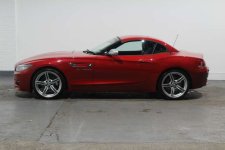
Well worth the wait - that's one stunning Zed 
How to create an Avatar:
click on your user name (top right), select 'User Control Panel'
click on the 'Profile' tab, select 'Edit Avatar', then upload your picture
note: avatars can't be bigger than 120 x 120 pixels (basically need to be 'thumbnail pics')
How to create an Avatar:
click on your user name (top right), select 'User Control Panel'
click on the 'Profile' tab, select 'Edit Avatar', then upload your picture
note: avatars can't be bigger than 120 x 120 pixels (basically need to be 'thumbnail pics')
Marlon said:Well worth the wait - that's one stunning Zed
How to create an Avatar:
click on your user name (top right), select 'User Control Panel'
click on the 'Profile' tab, select 'Edit Avatar', then upload your picture
note: avatars can't be bigger than 120 x 120 pixels (basically need to be 'thumbnail pics')
HI Marlon ... yes it is a stunning Z ... it's 'James Bond's' old one showing 4100 miles when I bought it in November. It's now languishing in the South of France which is just what it's built for!
I've tried the Avatar instructions but my pics must be too big ... any way of getting them down to 120 x 120?
Regret I live in something of an IT desert! ... :roll:
Kingfisher said:Marlon said:Well worth the wait - that's one stunning Zed
How to create an Avatar:
click on your user name (top right), select 'User Control Panel'
click on the 'Profile' tab, select 'Edit Avatar', then upload your picture
note: avatars can't be bigger than 120 x 120 pixels (basically need to be 'thumbnail pics')
HI Marlon ... yes it is a stunning Z ... it's 'James Bond's' old one showing 4100 miles when I bought it in November. It's now languishing in the South of France which is just what it's built for!
I've tried the Avatar instructions but my pics must be too big ... any way of getting them down to 120 x 120?
Regret I live in something of an IT desert! ... :roll:
Upload your image to this free 'resizing image' website and follow the instructions
http://resizeyourimage.com/EN/#transform=&page_no=1&no_of_pages=1&filename=3.jpg&selection_top=36&selection_left=55&selection_width=437&selection_height=292&zoom=912&demomode=true
Says it won't take bmp (?) pics whatever they are! I'm off to Spain for a week in the Z4 so will take some new ones on a different camera! Thanks for your help so far and I'll let you know how I get on!
Hi Marlon .... well I tried that website you gave me again and persevered this time! Took 2 or 3 goes but got there in the end so very many thanks for the tuition advice ... I can go mad now making thumbnails of everything!
Any time you're coming South of France way give me a shout ... loads of beds and an indoor pool! ... more than welcome! ...
Any time you're coming South of France way give me a shout ... loads of beds and an indoor pool! ... more than welcome! ...
Kingfisher said:Hi Marlon .... well I tried that website you gave me again and persevered this time! Took 2 or 3 goes but got there in the end so very many thanks for the tuition advice ... I can go mad now making thumbnails of everything!
Any time you're coming South of France way give me a shout ... loads of beds and an indoor pool! ... more than welcome! ...
thanks