Photos and iPad

Big Bad Boris

Senior member
 Braintree
Every photo I try to upload from my iPad prompts a message from the forum indicating the file size is too large. This must be an issue for others, is there an easy fix to to make the photos less data intensive?

I assume most posters use their iPhone, iPad etc for posting photos? (Other phones and tablets are available)
 
Big Bad Boris said:
Every photo I try to upload from my iPad prompts a message from the forum indicating the file size is too large. This must be an issue for others, is there an easy fix to to make the photos less data intensive?

I assume most posters use their iPhone, iPad etc for posting photos? (Other phones and tablets are available)

I use my iPad without that message appearing?
Rob
 
The files size could be too large. I can't upload pictures from my camera to the forum, without reducing them. No problems from my old Samsung S5 though. Not sure what the limit is.
 
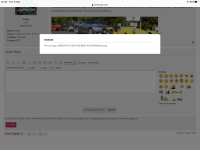
Here’s the error message.... oddly looks like it allows a screen shot of the error message (must be a smaller file)
https://z4-forum.com/forum/download/file.php?mode=view&id=81317
 

Attachments

  • 264437F7-1810-40D8-98FC-E817A2393B11.png
    264437F7-1810-40D8-98FC-E817A2393B11.png
    304.2 KB · Views: 713
Big Bad Boris said:
Every photo I try to upload from my iPad prompts a message from the forum indicating the file size is too large. This must be an issue for others, is there an easy fix to to make the photos less data intensive?

I assume most posters use their iPhone, iPad etc for posting photos? (Other phones and tablets are available)

I get the same sometimes, when I do I run it through an app called Image Size, basic but does the job
 
Thanks, I’ll give that a go.

I guess we should also ask the obvious question of the moderators, is there any reason not to increase the restriction on photo size?
 
Big Bad Boris said:
Thanks, I’ll give that a go.

I guess we should also ask the obvious question of the moderators, is there any reason not to increase the restriction on photo size?
Image size from an iPad is 4032x3024 (iPhone about the same, depending on mode), so a bit large for viewing on a forum anyway - especially for those on phones - and it's about 4-8mb.

Not sure the forum would be particularly responsive with posts full of 4-8mb attachments, but I've seen other forums let you upload whatever size you want, and re-sizes it to forum guidelines (say 1mb and/or 1280x800 or 1440x900) on the fly (and orientates them correctly using the EXIF data).
 
Big Bad Boris said:
Thanks, I’ll give that a go.

I guess we should also ask the obvious question of the moderators, is there any reason not to increase the restriction on photo size?
One for the boss, sp3ctre, to answer I would think. Basic answer is, space is a resource and this forum is free and runs very few adverts. :wink:
 
Are you talking about photos straight from the IPad or uploaded to it from a camera?
I usually take photos with my compact digi camera and then transfer them from the card to my laptop.
However, if I take it specifically to go on the forum, I adjust the image size that the camera takes first.
Is this an option to adjust on an IPad?
 
I note that you are trying to upload a .png file. Have you tried converting it to .jpg before trying to upload? I've had that issue elsewhere before.
 
As expos points out png files are lossless so are usually very large. Modern iPhones use HEIC format which is lossy so the files are smaller. Normally between 2 to 3MB and you shouldn’t have a problem with that size.
 
'lossless' and 'lossy'?
More words for me to add to the 'Luddites Guide to Modern Life Dictionary' :D :thumbsup:
 
enuff_zed said:
'lossless' and 'lossy'?
More words for me to add to the 'Luddites Guide to Modern Life Dictionary' :D :thumbsup:

My father got me into photography when I was in my teens which is an awful long time ago. Those were the days of film, enlargers, dishes, chemicals and darkrooms. Now I do it sat in front of my iMac. Progress does have some advantages although the purists wouldn’t agree with me. 😏
 
But you can't beat the aesthetic appeal of a photo recorded on film and printed on photographic paper in a darkroom. A grainy image is far more attractive than a pixelated one.

enuff_zed put "pixelated" in your dictionary.
 
exdos said:
But you can't beat the aesthetic appeal of a photo recorded on film and printed on photographic paper in a darkroom. A grainy image is far more attractive than a pixelated one.

enuff_zed put "pixelated" in your dictionary.

Got it!

I thought the bottom of my garden was pixelated. Turns out they were fairies :D
 
exdos said:
But you can't beat the aesthetic appeal of a photo recorded on film and printed on photographic paper in a darkroom. A grainy image is far more attractive than a pixelated one.

enuff_zed put "pixelated" in your dictionary.

Like I said! :D But how many photographs do you take on film? It's a lot easier to use Lightroom and not a darkroom. :roll:
 
Tinker15 said:
As expos points out png files are lossless so are usually very large. Modern iPhones use HEIC format which is lossy so the files are smaller. Normally between 2 to 3MB and you shouldn’t have a problem with that size.

So if I upload the same photos via my iPhone rather than my iPad they should be smaller Files as they format them differently?
 
Big Bad Boris said:
Tinker15 said:
As expos points out png files are lossless so are usually very large. Modern iPhones use HEIC format which is lossy so the files are smaller. Normally between 2 to 3MB and you shouldn’t have a problem with that size.

So if I upload the same photos via my iPhone rather than my iPad they should be smaller Files as they format them differently?

Only if you took the photos with your iPhone. Which model iPhone do you have and on what device did you take the photographs you are trying to upload to the forum. Older models of iPhone use jpeg format which should be OK as well. It isn't the device you are uploading from it's what you took the photographs with.
 
Back
Top Bottom
