You are using an out of date browser. It may not display this or other websites correctly.
You should upgrade or use an alternative browser.
You should upgrade or use an alternative browser.
Help With VMware
- Thread starter Nova2k7
- Start date
I'm going to keep bumping this until someone answers 
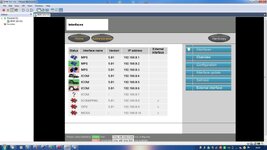
Is that a screenshot from your system?
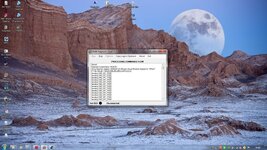
Have you done the ping tests in VMWare to check the virtual machines can see the physical network? If the TCP/IP settings aren't correct you'll get nothing. Also make sure you have the diagnostic head emulator and server component running.
Have you done the ping tests in VMWare to check the virtual machines can see the physical network? If the TCP/IP settings aren't correct you'll get nothing. Also make sure you have the diagnostic head emulator and server component running.
Oh no! Please, please, please don't subject us to thisDrshemming said:I'm going to keep bumping this until someone answers

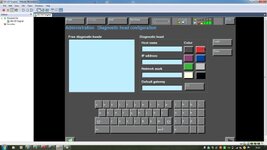
Actually, you can ignore this message, as long as you have the green "lights" on the top right of the screen.
ZedFourM said:Actually, you can ignore this message, as long as you have the green "lights" on the top right of the screen.[/color]
That's why I was asking if this was a screenshot from the OP's system. You need both sets of green lights on.
Stuart Truman said:Is that a screenshot from your system?
Have you done the ping tests in VMWare to check the virtual machines can see the physical network? If the TCP/IP settings aren't correct you'll get nothing. Also make sure you have the diagnostic head emulator and server component running.
it is my system yes! ive done the ping test on CMD and it comes back fine!ive got the head emulator running and the IFH-Service running as well
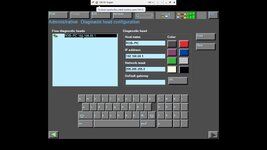
When you run the diagnostic head emulator are you seeing something like this? (Mine is showing disconnected as the cable isn't plugged in)

Stuart Truman said:When you run the diagnostic head emulator are you seeing something like this? (Mine is showing disconnected as the cable isn't plugged in)
yeah this is what i see
Probably started it up in the right order
Stuart Truman said:Probably started it up in the right order
true!! does this mean i can find out why my emissions light is on and program some options??
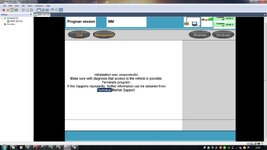
You can use INPA for diagnostics. You don't need all the VMWare malarky.
Have you got the right diagnostic head type running?
Having finally got the bloody thing working, I haven't had the balls to try coding anything and the Intravee does the one thing I was thinking of coding (three flashes on indicators) :lol:
All my installation woes turned out to be a faulty cable.
Have you got the right diagnostic head type running?
Having finally got the bloody thing working, I haven't had the balls to try coding anything and the Intravee does the one thing I was thinking of coding (three flashes on indicators) :lol:
All my installation woes turned out to be a faulty cable.
Stuart Truman said:You can use INPA for diagnostics. You don't need all the VMWare malarky.
Have you got the right diagnostic head type running?
Having finally got the bloody thing working, I haven't had the balls to try coding anything and the Intravee does the one thing I was thinking of coding (three flashes on indicators) :lol:
All my installation woes turned out to be a faulty cable.
what do you mean the right head???
also its missing from DIS now again!
It's covered in the installation guide. Launch the diagnostic head, click options, and select the left hand one.
The other thing is disable your Windows firewall. If your PC is one you use for general purpose use (I'm lucky and had an old laptop I've dedicated to this) make sure you put it on again when finished.
The other thing is disable your Windows firewall. If your PC is one you use for general purpose use (I'm lucky and had an old laptop I've dedicated to this) make sure you put it on again when finished.
Stuart Truman said:It's covered in the installation guide. Launch the diagnostic head, click options, and select the left hand one.
The other thing is disable your Windows firewall. If your PC is one you use for general purpose use (I'm lucky and had an old laptop I've dedicated to this) make sure you put it on again when finished.
ah ive had it on the right hand one!
Firewall is a suspect. If you're setup is OK, and as it's worked at least once so I assume it is, turn off the firewall completely in control panel. Don't fanny about with rules, just turn it off and try again.